

Email Dictation for Founders: Write Clear Updates in Gmail or Outlook Without Losing Your Day
A practical guide to email dictation for founders: dictate directly inside Gmail or Outlook, turn rough spoken thoughts into polished email body text with Sendd, and review confidently before sending.
Founders often live in their inbox: investor updates, customer follow-ups, candidate outreach, partner intros, and quick internal alignment. The hard part isn’t writing an email—it’s writing a lot of polished emails while context-switching all day.
If you already think faster than you type, email dictation for founders can help you get a solid draft down quickly—then turn that draft into a clean, sendable email body without sounding like a raw transcript.
When email dictation is especially useful for founders
Typing is fine for short replies. Dictation tends to shine when you need to:
- Send a thoughtful update (investors, board, advisors)
- Clarify a decision or priority shift to your team
- Respond to a customer escalation with calm, structured language
- Write partnership emails that need the “right tone”
- Draft a longer follow-up after a call while details are still fresh
The goal isn’t to skip judgment. It’s to get your first draft out of your head quickly, then review like a founder.
How Sendd works in Gmail and Outlook (two-click, in the email body)
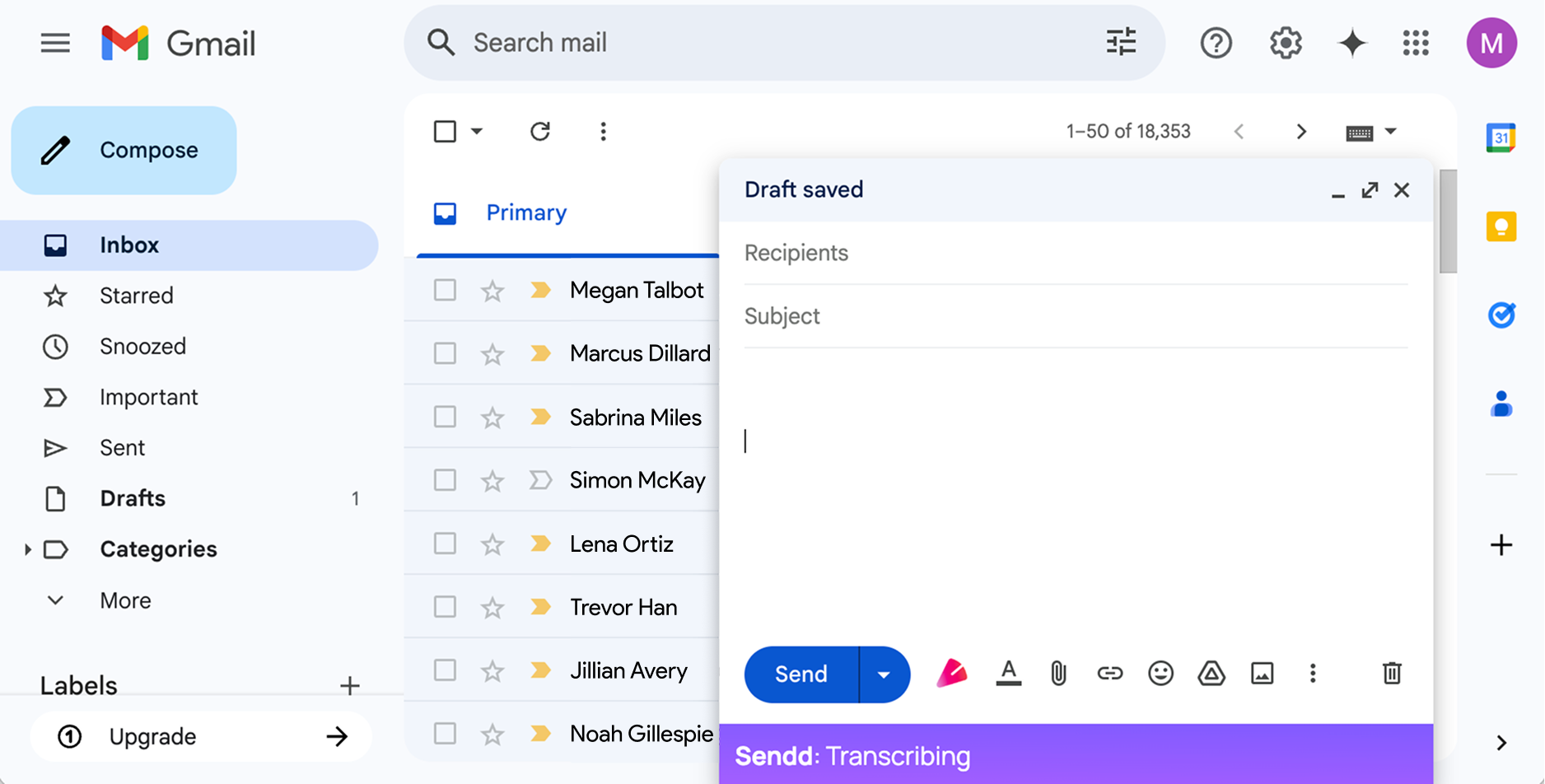
Sendd is an AI-powered Chrome extension that works inside Gmail and Outlook. When you open a compose or reply window, you’ll see the Sendd logo inside the composer.
Here’s the workflow:
- Click the
 button to start recording.
 - As you speak, live transcription appears directly in the email body.
- By default, transcription starts at the beginning of the email.
- If you want the text inserted somewhere specific (e.g., after your greeting), click that location in the email body first.
- Click the button again to stop recording.
- Sendd converts just-recorded transcription into polished email body text in the same place.
A couple of important details for founders who draft in bursts:
- Clicking the button again later starts a fresh recording.
- Sendd does not use previous Sendd transcriptions, earlier recording sessions, or the wider email thread as context for a new recording.
A founder-friendly dictation pattern: structure first, details second
When you dictate, you don’t need perfect sentences. You can speak in a simple structure and let Sendd turn it into clean prose.
A useful pattern for many founder emails:
- Why I’m writing (the point)
- What changed / what we learned
- What we’re doing next
- What I need from you (a decision, a reply, an intro)
- Timing
You can also speak instructions naturally, like “make this more direct,” “turn these into bullets,” or “remove that last sentence.”
Rough spoken dictation example (what you might actually say)
Below is an example of a rough dictation a founder might speak right after a customer call:
“Hey Priya thanks again for the time today. Quick recap: we’re going to ship the SSO change next Wednesday, and we’ll also add the audit log export in the same release if we can, but if that risks the date we’ll do it the week after. Can you confirm who on your team should do the validation, and what environment you want us to use. Also sorry again about the outage last Friday—root cause was the queue retries, we’ve already put a cap in place. Make this concise and professional, bullets for the questions.”
Polished email body example (what Sendd produces in the composer)
Here’s an example of how that could look after you click the button again to polish the text:
Hi Priya,
Thanks again for your time today. Here’s a quick recap and next steps:
Release plan
- We’re on track to ship the SSO change next Wednesday.
- We’re aiming to include the audit log export in the same release; if it jeopardizes the Wednesday date, we’ll ship it the following week instead.
Questions
- Who on your team should handle validation?
- Which environment would you like us to use for testing?
Separately, I’m sorry again about last Friday’s outage. The root cause was queue retries; we’ve already implemented a cap to prevent a repeat.
Best,
[Your Name]
Practical “review before sending” checks (especially for high-stakes emails)
Dictation helps you move faster, but founders still need to sanity-check before hitting send. A quick review routine:
- Names, dates, and numbers: Verify they’re correct (release dates, pricing, meeting times, metrics).
- Commitment language: Watch for accidental over-commitments (“we will” vs “we plan to”).
- Tone calibration: Ensure it matches the relationship (customer escalation vs investor update vs internal note).
- Single clear ask: If you need a reply, make it explicit and easy to answer.
- Skimmability: Break long paragraphs into short blocks or bullets.
Remember: Sendd does not send emails automatically—you stay in control and can edit anything before sending.
Where to place dictation in an existing draft
Founders often start with a template (e.g., investor update) and then fill in sections.
Because Sendd inserts text where your cursor is:
- Paste or open your template.
- Click into the section you want to fill (e.g., “Highlights,” “Asks,” “Risks”).
- Click the button to dictate, then click it again to polish.
If you later dictate a new section, it starts a new recording and uses only that new audio—so it won’t “remember” earlier dictated sections or pull context from the thread.
A realistic note: don’t bother dictating the tiny emails
For one-line replies (“Sounds good—thanks!”), typing may be quicker. Sendd is most useful when you’re turning a messy, spoken first draft into a clean, professional email body—the kind founders send dozens of times a week.
Try Sendd for email dictation in Gmail or Outlook
If you want a lightweight way to dictate directly inside your Gmail or Outlook composer and turn live transcription into polished in-body email text, Sendd is built for that workflow. You can start on the free tier (up to 15 minutes of audio/month) and move to Pro (£8 GBP/month) if you need more.