

Email Dictation for Recruiters: Move Faster Without Sending Messy Follow-Ups
A practical guide to using voice-to-email workflows for recruiter outreach, candidate updates, interview feedback, and hiring manager follow-ups.
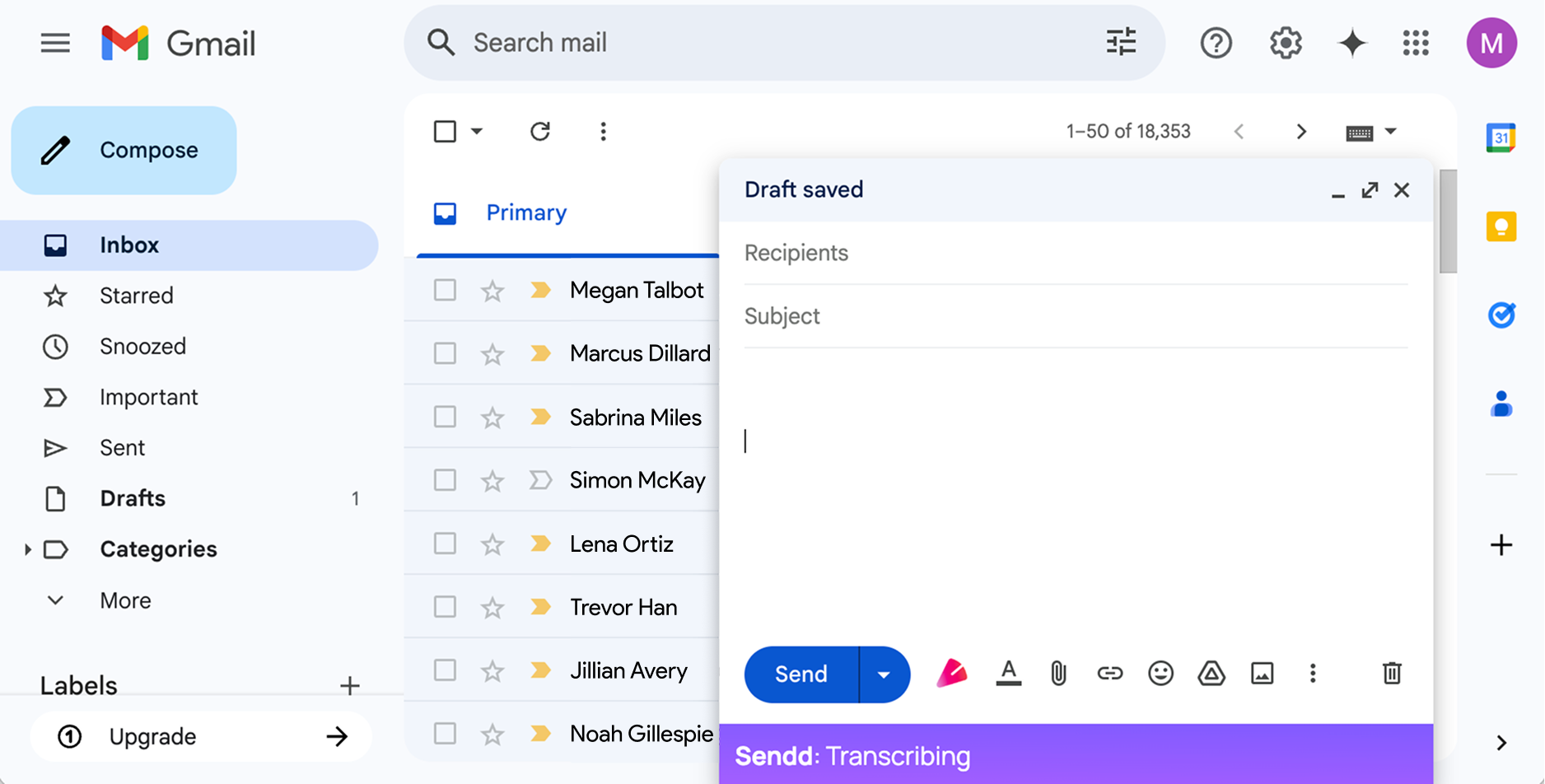
Recruiters send a lot of email. Candidate updates, hiring manager notes, interview reminders, follow-ups, rejection messages, offer coordination, and quick status nudges all compete for attention.
The hard part is not always knowing what to say. Often, the hard part is turning call context into a careful message when you are already between screens, interviews, and stakeholders.
Sendd is useful when the thought is already in your head and typing is the bottleneck. In Gmail or Outlook, click the  button and speak naturally. The live transcription appears directly in the email body, then Sendd polishes that just-recorded text in place when you click the button again.
Where dictation helps most
Recruiting work creates a steady stream of context-heavy emails. Voice works best when there is enough detail to capture, structure, and polish while the nuance is still fresh. For very short messages, Sendd may leave the text close to the original wording.
Good fits include:
- Candidate follow-ups after screening calls.
- Hiring manager updates.
- Interview scheduling notes.
- Feedback requests.
- Offer process updates.
- Polite rejection messages.
- Client or stakeholder check-ins.
A simple recruiter workflow
After a candidate call, open the email composer or reply, click the button, and speak the raw version. You can include both the message itself and spoken cleanup instructions for Sendd within that recording.
For example:
Tell Jamie thanks for taking the time today. Say the role still looks like a strong match because of the enterprise renewals experience. Actually remove the word strong, make it more measured. Mention that I am sharing notes with the hiring manager and expect to have an update by Thursday. Do not include a subject line.
When you click the button again, Sendd should remove the spoken cleanup instructions and polish the transcription in the same location, for example:
Hi Jamie,
Thank you for taking the time to speak with me today. Based on our conversation, the role looks like a good match for your experience, particularly your work on enterprise renewals.
I am sharing my notes with the hiring manager and expect to have an update by Thursday.
Best,
You still review before sending, but you skip the blank-page work.
Why this matters
Speed matters in recruiting, but tone matters too. A rushed message can sound cold, vague, or careless. A delayed message can make candidates feel ignored.
Voice-to-email helps with the middle ground: fast communication that still reads like you took care with it. The important difference is that Sendd is not just transcribing every word. It is cleaning up the spoken brief, removing filler, applying corrections, and respecting instructions about structure and what not to include.
When to review carefully
Always review messages before sending, especially when the email involves compensation, interview feedback, rejection reasons, legal commitments, or sensitive candidate data. AI-generated drafts should support your judgment, not replace it.
Sendd should not fabricate details, add a subject line unless you ask for one, or send the message automatically.
How Sendd fits
Sendd works inside Gmail and Outlook through Chrome. That means recruiters can dictate directly where they already write email, see the live transcription appear in the email body, and polish that recording in place without moving text between separate tools.
If you start another recording later, it begins fresh in the email body. Sendd does not use previous Sendd transcriptions or the wider email thread as context for the new recording.
If recruiting email is taking up too much of the day, email dictation can turn post-call follow-up into a faster habit while keeping the recruiter in control of the final message.